Dedicated physical workstations for developers

Cloud Mac
Dedicated physical workstation

Use a real Apple Silicon Mac mini remotely for Xcode builds, continuous integration, local inference, and professional creative work. Administrator access, SSH, and remote desktop can all be configured, with resources dedicated exclusively to your device.

Starting at $21.7/day
Not a virtual machine Four Asia-Pacific nodes USD billing
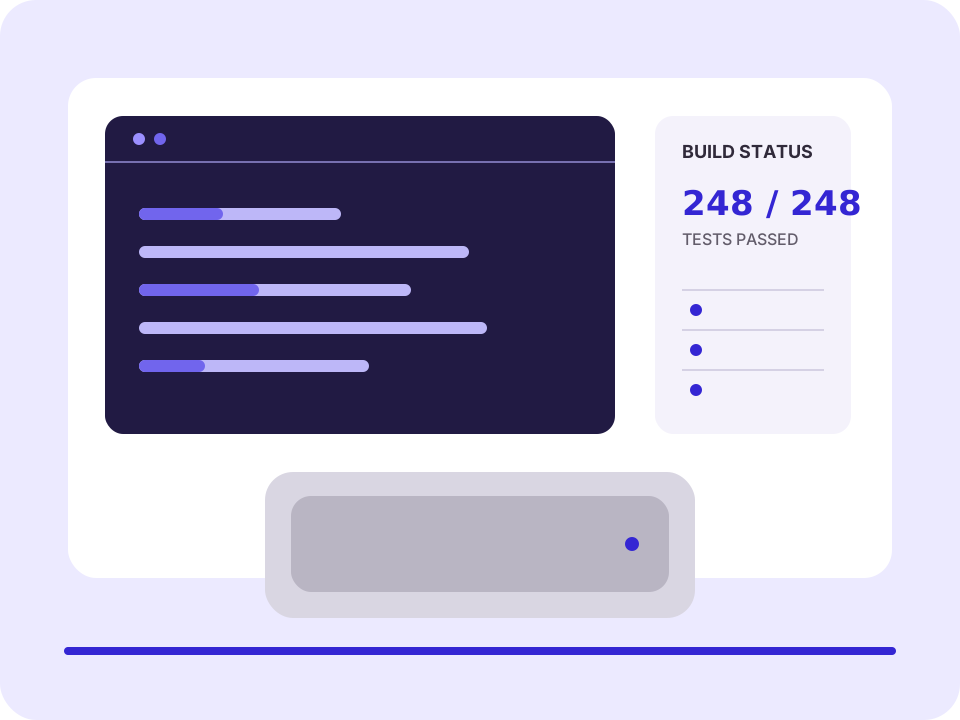
NUMACS developer workstation running build tasks and displaying resource metrics
JP-TYO / ONLINE M4 · 24GB · SSH READY
XCODE ARCHIVE 248 tests · 0 failures · 2 min 41 sec

Capabilities for your workflow

Cloud Mac workstation capabilities

Dedicated physical machine
Not a virtual machine
Remote desktop
SSH
CI Runner
Administrator access

Development workflows

One device for four
real development workflows

Organize your device around repositories, toolchains, caches, and build artifacts. Every workflow retains inspectable logs and results, making environments easier to reproduce, failed steps easier to diagnose, and tasks easier to hand off.

WORKFLOW / BUILD

iOS and macOS builds

Pin Xcode, certificates, and dependency versions, then run unit tests, archives, and exports. Keep the project toolchain on the same physical device instead of repeatedly restoring it in temporary virtual environments.

$ xcodebuild test
Compile arm64  done
Tests          248 passed
Archive        succeeded
WORKFLOW / CI

Automated testing

Register a dedicated Runner and define concurrency, caching, timeout, and log-retention rules. Trace failed jobs through the working directory, script permissions, disk usage, and archive logs.

runner  online
jobs    3 / 4
cache   42.8 GB
status  passing
WORKFLOW / AI

Local AI inference experiments

Pin Python, the inference framework, and model versions while tracking unified memory usage, model caches, and sustained load. Keep the experimental environment for each project instead of downloading dependencies again.

model     local-7b-q4
memory    18.4 GB
tokens/s  31.8
status    ready
WORKFLOW / MEDIA

Audio and video production

Run Logic Pro workflows, migrate media and plug-ins, and verify library capacity, audio caches, remote monitoring, and network transfer conditions before starting a production project.

project  mix-v12
assets   mounted
plugins  verified
bounce   ready

Real-world usage paths

Organize devices around tasks,
not around feature labels

First determine how code, signing assets, caches, media, and build artifacts will enter the workstation, then choose the right configuration and rental term. Each of these four task types can be broken into clear inputs, execution steps, and acceptance criteria.

Indie development

Remote compilation, testing, and signing

Clone the repository, restore CocoaPods and Swift Package dependencies, import organized and sanitized signing assets, then complete testing, archiving, and export. Ideal for developers who need a stable macOS environment without keeping a local device running long term.

Inputs
Code repository, lock files, signing materials
Acceptance
Tests pass, archive succeeds, artifacts export successfully
Continuous delivery

Connect your CI team to a dedicated Runner

Register a dedicated Runner and set the working directory, concurrency limit, and cache-clearing policy. Retain script output, test reports, and archive context for failed jobs so the team can reproduce them rather than see only a failure status.

Inputs
Pipeline configuration, execution scripts, dependency cache
Acceptance
Jobs run repeatedly and logs pinpoint failures
AI experiments

Run a local inference environment

Pin Python, the inference framework, and model versions while recording unified memory, disk cache, and throughput. Keep models, scripts, and experiment outputs on the dedicated device for repeated tuning and baseline comparison.

Inputs
Model files, environment manifest, evaluation scripts
Acceptance
Environment rebuilds successfully and throughput results are comparable
Professional creative work

Run Logic Pro workflows

Migrate media, install plug-ins, rebuild audio caches, and verify the remote monitoring path with a test project. For large projects, check additional storage, media transfer times, and backup plans first.

Inputs
Project files, media library, plug-in list
Acceptance
Project opens, plug-ins pass validation, export completes

Two configurations available

Exactly two configurations.
See the price before you order.

Evaluate Core for a short single-project engagement; choose Plus when running more simulators, containers, caches, or media libraries at once.

View all plans
NUMACS / M4 / CORE

NUMACS M4 Core

Designed for single-project development, everyday upkeep, debugging, and short build jobs.

$21.7/day
M416GB RAM256GB SSD
week$58.5
month$108.4
quarter$294.8
PHYSICAL MAC MINI 2 CONFIGURATIONS
Configuration Chip Memory Storage Connection
NUMACS M4 Core M4 16GB 256GB Remote desktop / SSH
NUMACS M4 Plus M4 24GB 512GB Remote desktop / SSH

Four Asia-Pacific nodes

Singapore, Tokyo,
Seoul, and Hong Kong

Both NUMACS M4 Core and NUMACS M4 Plus are available across all four nodes. The catalog shows qualifying combinations consistently; final availability is determined by the console in real time. All nodes operate continuously 365 days a year.

SGAvailable

Singapore

Singapore

Core and Plus available
JPAvailable

Tokyo, Japan

Tokyo, Japan

Core and Plus available
KRAvailable

Seoul, South Korea

Seoul, South Korea

Core and Plus available
HKAvailable

Hong Kong

Hong Kong

Core and Plus available
Catalog status for both configurations across four Asia-Pacific nodes
Configuration Singapore Tokyo, Japan Seoul, South Korea Hong Kong
NUMACS M4 Core ● Available ● Available ● Available ● Available
NUMACS M4 Plus ● Available ● Available ● Available ● Available

Node selection takes place during order configuration. The catalog does not display unavailable combinations or infer availability from temporary status.

Migration and validation

From a local Mac to a cloud Mac,
validate the migration in three stages

Restore data, the toolchain, and CI separately. This makes it faster to determine whether an issue comes from permissions, versions, dependencies, or pipeline configuration, while preserving a clear record for rebuilding.

LOCAL MAC → DATA

Data migration

Sync the code repository, required configuration, and project media. Rebuild caches, derived data, and temporary artifacts as needed instead of carrying local history problems into the new environment.

Validation result: repository and permissions pass inspection
DATA → TOOLCHAIN

Restore the toolchain

Record and pin macOS, Xcode, Homebrew, Ruby, Node.js, and package manager versions, then confirm compilation and archive permissions with an independent test project.

Validation result: test project builds successfully
TOOLCHAIN → CI

Connect CI

Register a dedicated Runner, configure the working directory, cache, concurrency, script permissions, and failed-log retention, then run a complete pipeline.

Validation result: pipeline artifacts are reproducible

Need to complete connectivity, environment restoration, and first-task validation step by step? Start with the complete pre-order checklist.

View the connection and migration guide

Development workstation evidence

Use build logs and host metrics
to show what the workstation is doing

A stable development environment is more than a device showing as online. Observe build time, resource usage, disk space, test results, and host status together in a single run record.

BUILD LOG ARCHIVE SUCCEEDED

NUMACS M4 Plus · release/2.8

09:31:04  git checkout release/2.8
09:31:21  Resolve package dependencies
09:31:48  CompileSwiftSources arm64
09:32:38  Executed 248 tests, 0 failures
09:33:45  CodeSign NumacsApp.app
09:34:12  ARCHIVE SUCCEEDED
3 min 08 secArchive time 248Tests 0Failures
CPU / 10 MIN AVG 63.8%

Average processor utilization during the continuous build.

UNIFIED MEMORY 18.4 GB

Unified memory used by the build, simulators, and supporting tools.

HOST / JP-TYO ONLINE

Physical node online; remote desktop and SSH checks passed.

See where the failure occurred first

Dependency resolution, compilation, testing, signing, and export are separate failure domains. Keeping the complete timeline makes reproduction easier than saving only the final error line.

Interpret resource metrics in context

High CPU usage is not necessarily abnormal. Observe memory pressure, available disk space, cache growth, and task completion time together to determine whether you need a larger configuration.

Use reproducible results as the acceptance standard

Delivery validation is complete only after repository checkout, dependency restoration, test execution, archiving, and artifact export all pass.

Confirm before ordering

Understand the device type, node, connectivity, and data responsibilities

NUMACS provides dedicated physical cloud Mac workstations. Users are responsible for project data, access credentials, signing materials, and ongoing backups; technical support helps identify service issues using the complete context.

Are NUMACS devices virtual machines?

No. NUMACS M4 Core and NUMACS M4 Plus are dedicated physical Apple Silicon Mac minis, with resources not shared with other tenants.

Which rental terms are available?

Rent by the day, week, month, or quarter. Core costs $21.7/day, $58.5/week, $108.4/month, or $294.8/quarter; Plus costs $41.6/day, $112.3/week, $207.9/month, or $565.5/quarter.

How do I choose a node?

Choose Singapore, Tokyo, Seoul, or Hong Kong when ordering. Both configurations are available across all four nodes; final availability is shown in real time by the console.

Which payment methods are supported?

Only USDT-TRC20 and Visa / Mastercard / Amex (via Stripe) are supported. All charges are settled in US dollars (USD); available gateways are determined by the backend interface.

How do I connect after the device is provisioned?

Device details are provided in the console. After the first connection, change the initial credentials, configure SSH keys and remote desktop, and verify administrator access. The public Help Center provides the complete check sequence.

Get started

Orders, device status, and renewals are all managed in the console.

Choose NUMACS M4 Core or NUMACS M4 Plus, then confirm the rental term, node, and add-ons. For pre-sales guidance or technical assistance, email support or submit a ticket after signing in.

Only USDT-TRC20 and Visa / Mastercard / Amex (via Stripe) · USD billing